
An artifact repository server you can actually run yourself.
Arca speaks Maven 2, npm, Docker and Eclipse p2, stores artifacts on disk and keeps metadata in SQLite, all from a single binary. There is no separate database to run, no application server, and no config file to write before the first start.
Running in production at repo.pixelib.dev, which is where these screenshots come from.
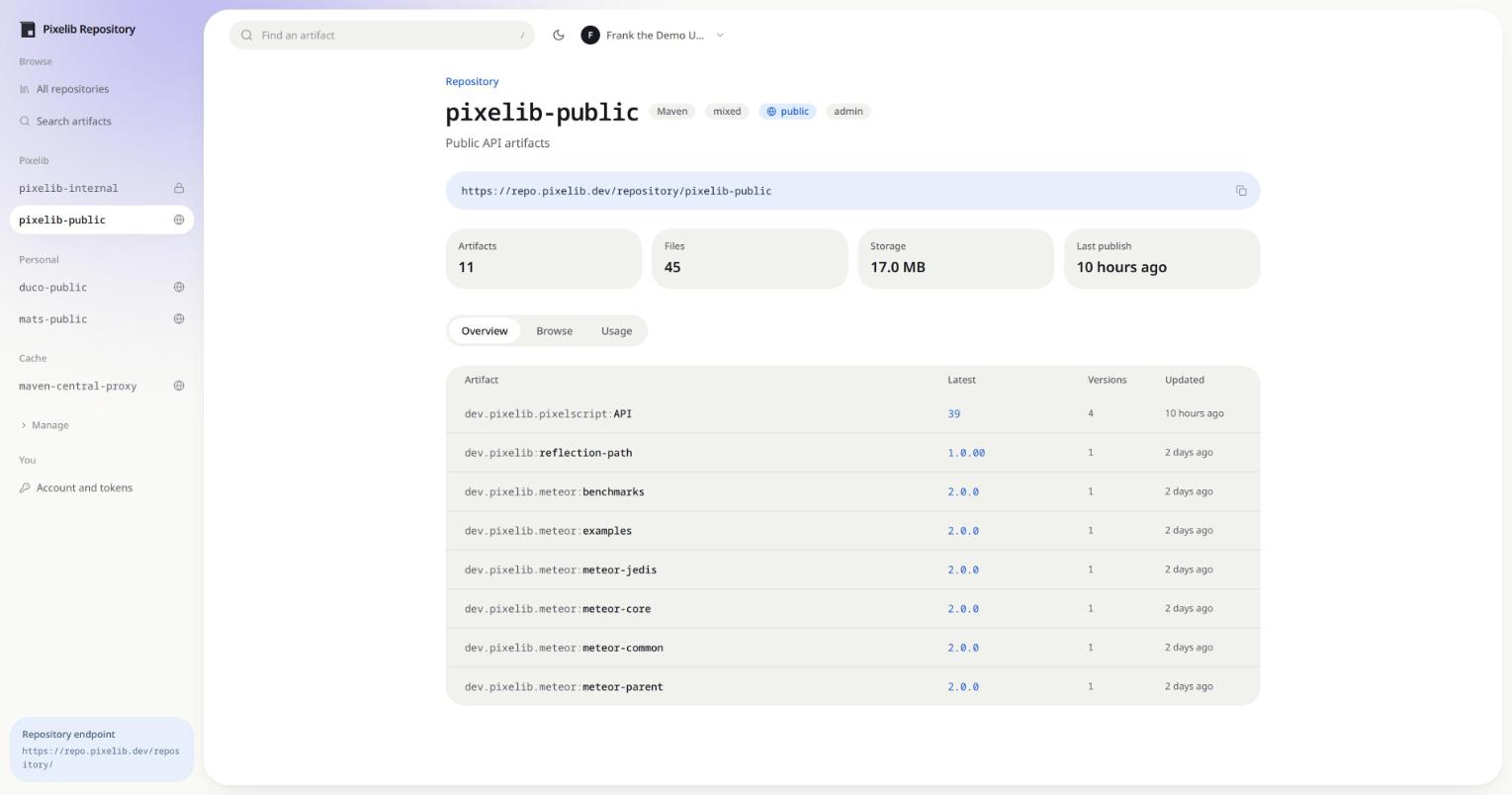
Four formats, one server
A format is chosen per repository and fixed once it exists, because nothing migrates between formats. Everything else about a repository stays editable.
Maven 2
Resolve and publish jars from Maven, Gradle and sbt. maven-metadata.xml is generated from the database, so it cannot drift from what is actually stored.
npm
A registry your package manager talks to like any other. Packuments are generated, and a published version stays immutable.
Docker
Push and pull with any Docker client, then read back the layers, platforms and build history of a tag, and how much of it is unique rather than shared.
Eclipse p2
Serve update sites, and put a group over several of them so a target platform needs one location instead of a dozen.
Every artifact comes with the snippet to use it
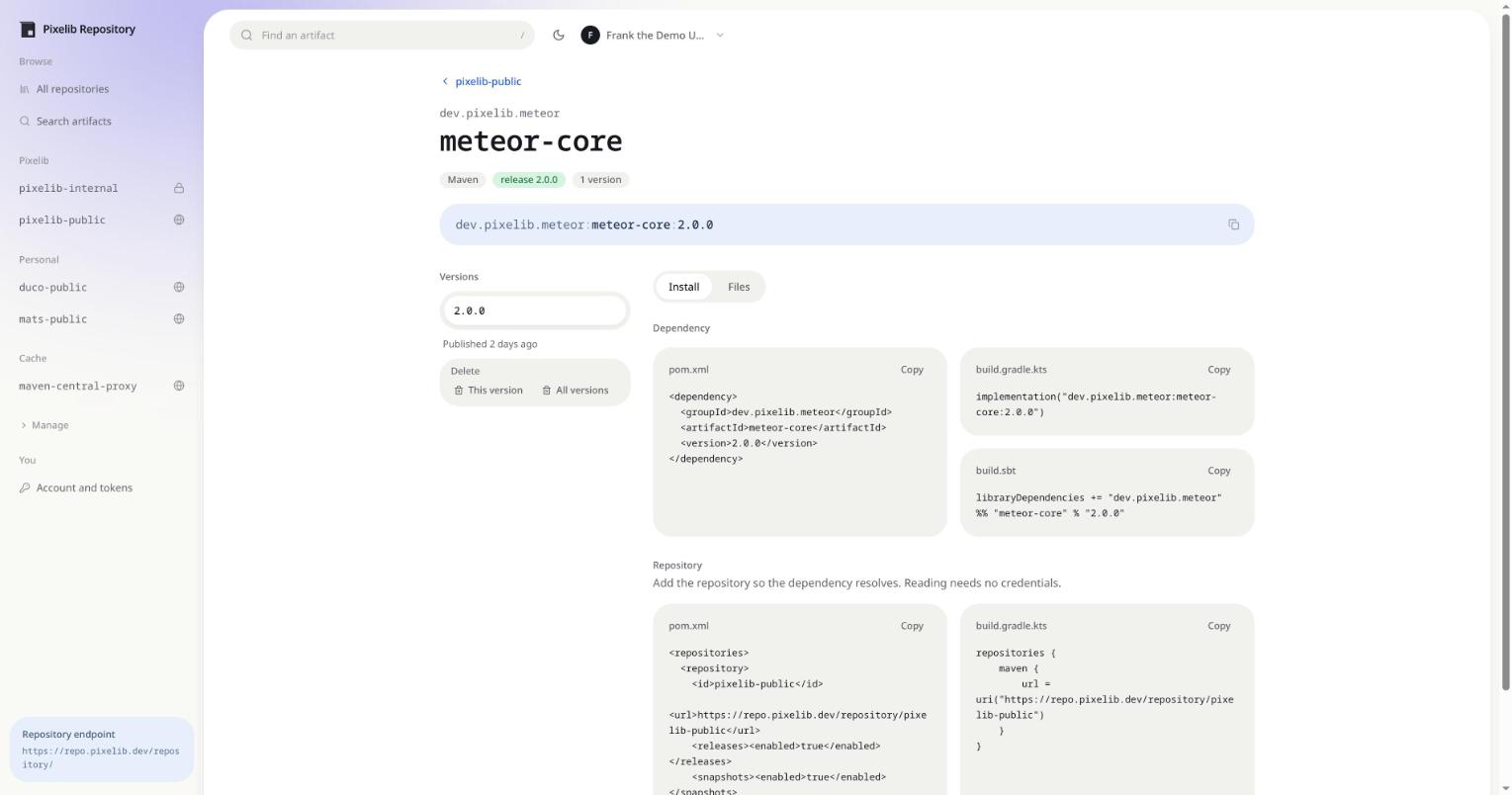
Open an artifact and the dependency block is already written, for pom.xml, build.gradle.kts and build.sbt, along with the repository declaration that makes it resolve. Nobody has to guess the coordinates or dig up the URL.
Versions, files and checksums sit next to it, and an administrator can delete a single version or the whole artifact from the same page.
What you get
Hosted, proxy and group
Publish to a hosted repository, mirror Maven Central, npmjs.org, Docker Hub or download.eclipse.org through a caching proxy, or group several p2 sites behind one URL.
Per-user permissions
Public repositories are readable without an account. Private ones are granted per user, per repository, so an integration only ever sees what it needs.
Deployment links
A fixed URL that always downloads the newest matching file of an artifact, without authentication. A private repository can publish exactly one file to an installer or a build that has no credentials.
Repositories can be renamed
The old name keeps redirecting, for reads and for publishes, so builds pointed at it keep working while you update them.
Checksums on the way in
Uploads stream to disk while MD5, SHA-1, SHA-256 and SHA-512 are computed in a single pass. An artifact is bounded by your disk, not by memory.
Insights that come from real traffic
Traffic, storage and per-version artifact management, with the numbers coming from actual requests rather than estimates.
Your own front page
A markdown welcome text, an accent colour and your own logo, so the landing page explains what the instance is for instead of listing repositories at a stranger.
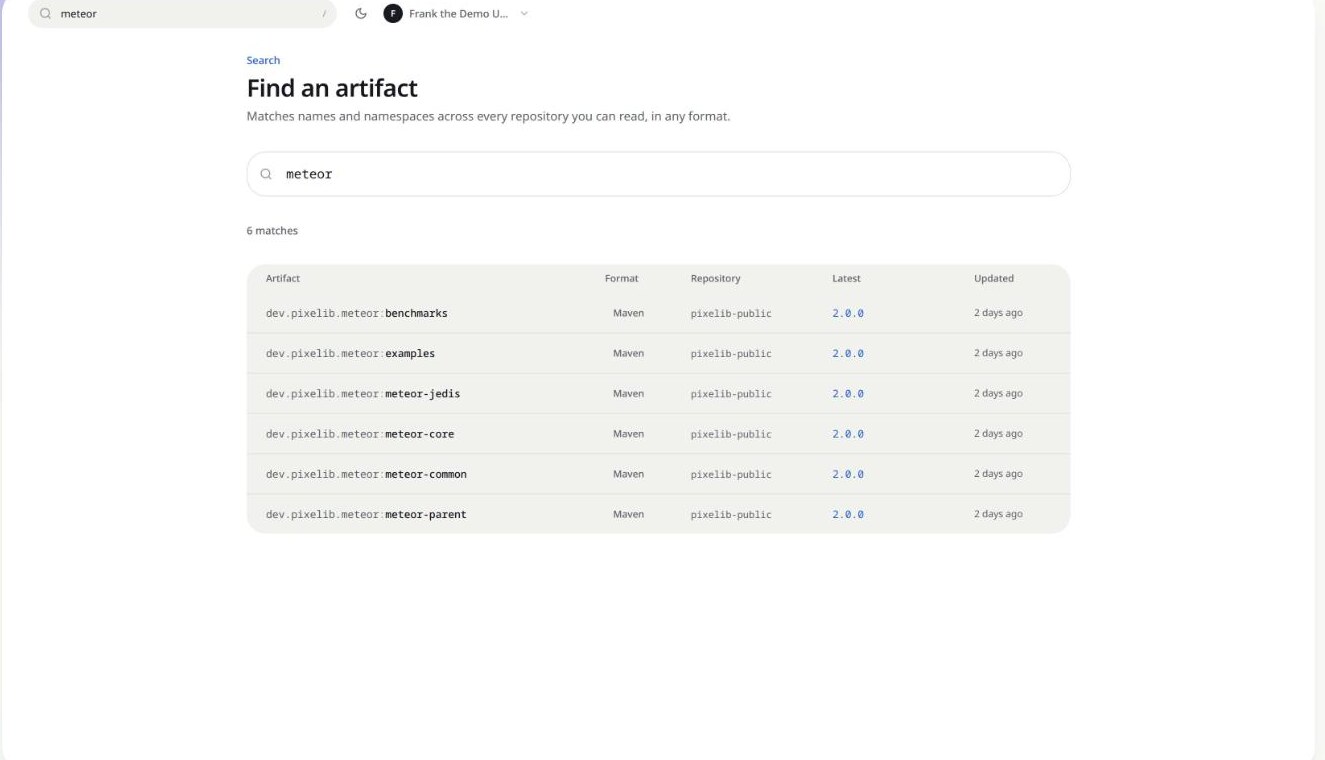
Search that spans everything
One search across every repository you can read, in any format, matching names and namespaces.
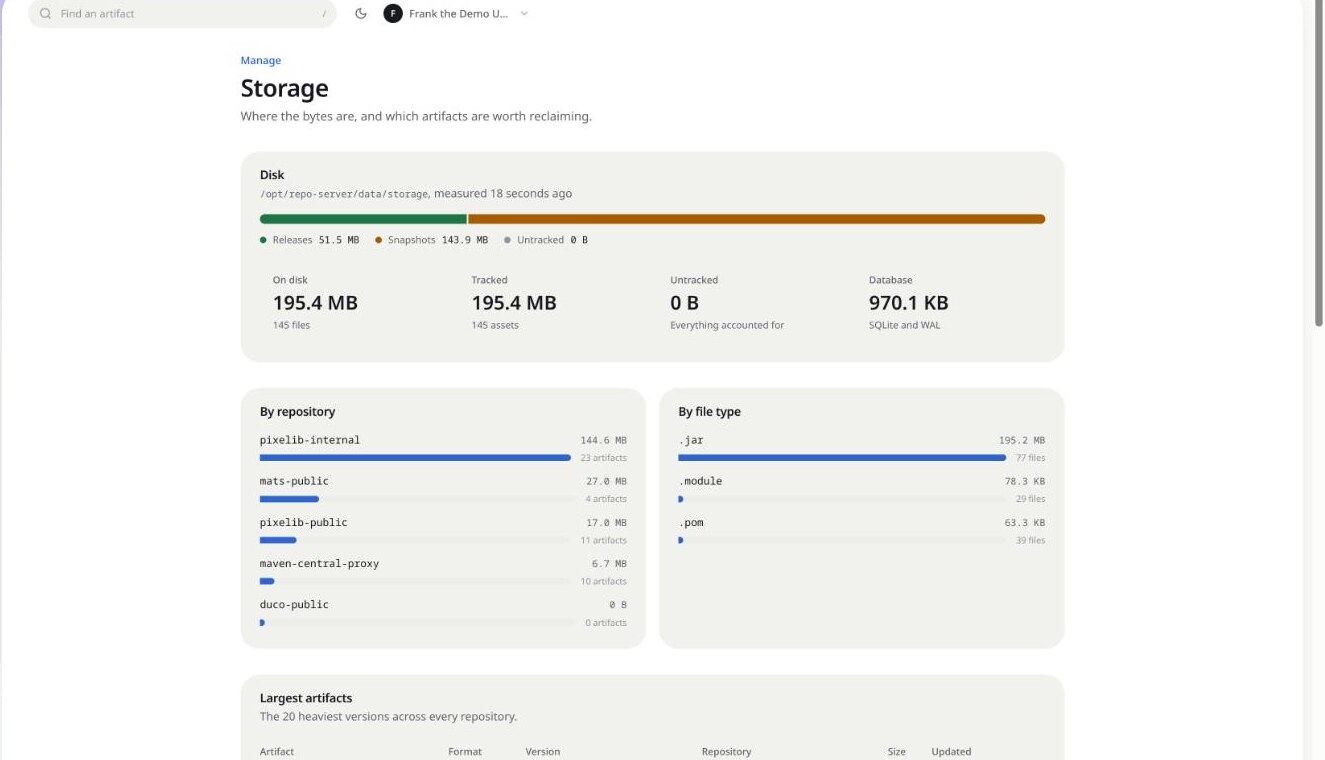
Know where the bytes are
Storage is broken down by repository, by file type and by artifact, so reclaiming space is a decision instead of a guess. Health, users and settings live next to it under Manage.
Up in one command
Images are published for linux/amd64 and linux/arm64. Start the container, open the port, and finish the setup wizard: it creates the administrator account, names the instance, picks the accent colour and can lay down your first repositories. The schema is applied on startup, so there is no separate migration step.
docker run -d --name arca \
  -p 8080:8080 \
  -v arca-data:/data \
  repo.pixelib.dev/pixelib-docker/arca:latest
Everything lives in /data: the SQLite database and the artifacts. Backing up an instance means copying that directory. There is a plain binary and an Ansible-shaped deployment in the deployment guide if you would rather not use Docker.
One process, one port
The web UI, the JSON API and every repository endpoint are served by the same process on the same port, so there is exactly one thing to put behind your reverse proxy.
/repository/<name>/**the Maven, npm or p2 endpoint, depending on the repository format/v2/**the Docker registry API/api/**the JSON API the UI runs oneverything elsethe embedded web UIAlready on Nexus?
Arca reads a Sonatype Nexus 3 instance and reproduces its repositories here. It only ever sends GET requests, so there is no code path that can change anything on the other side. A read-only account is enough.
Preview first: Arca lists every repository it found and what it intends to do with each one, before a single byte is written. The run then continues in the background.
Read the migration guide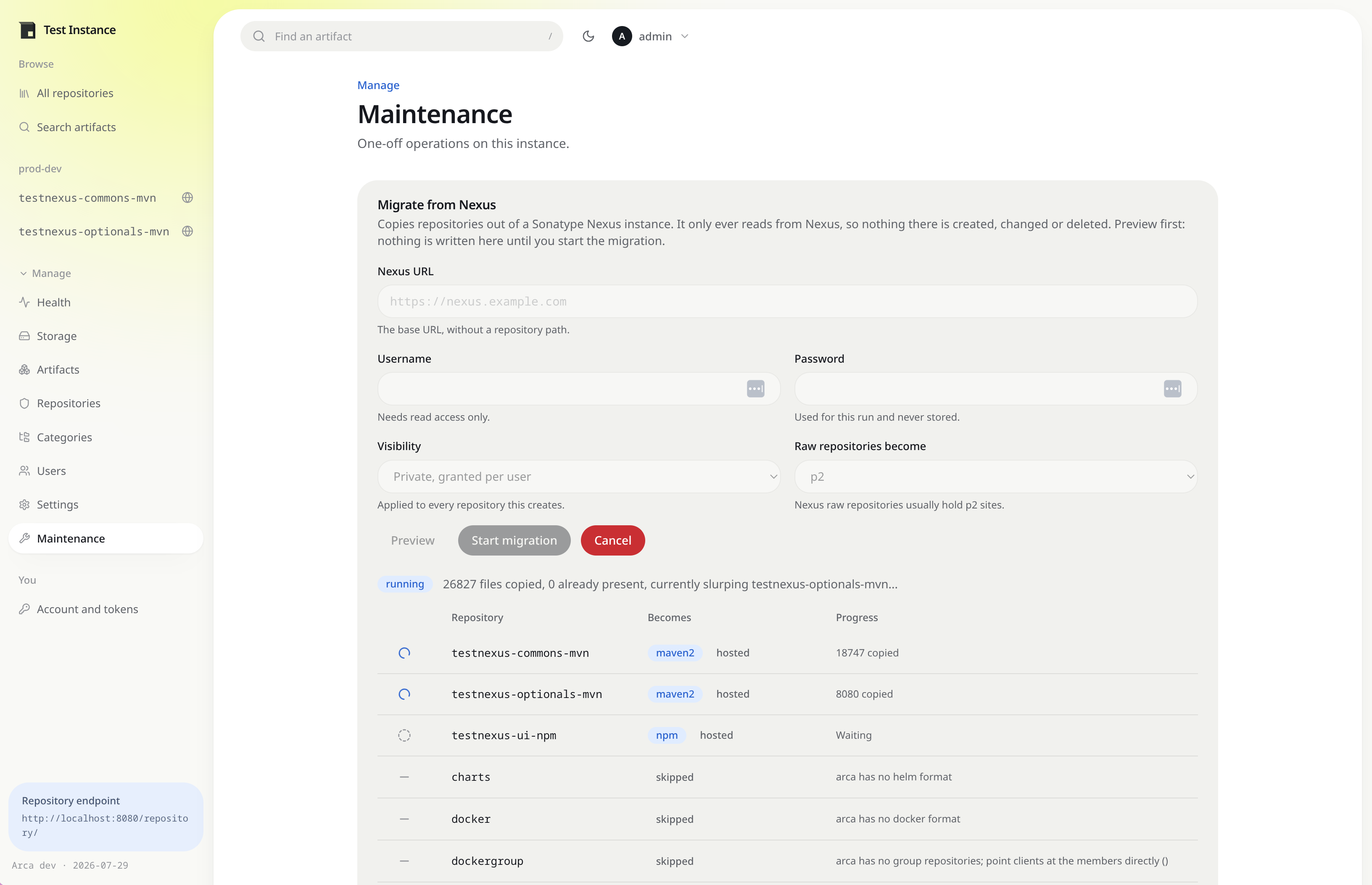 Previewing a Nexus migration before anything is written
Give your artifacts a home
Arca is open source. Clone it, run it, and point a build at it in an afternoon, or take a look at the instance we run ourselves first.